ニュース
Seedance 2.5 Spicy: less moderation, more creative freedom
Seedance 2.5 Spicy brings relaxed content moderation to video generation: explore bolder ideas with audio, references and clips up to 30 seconds.
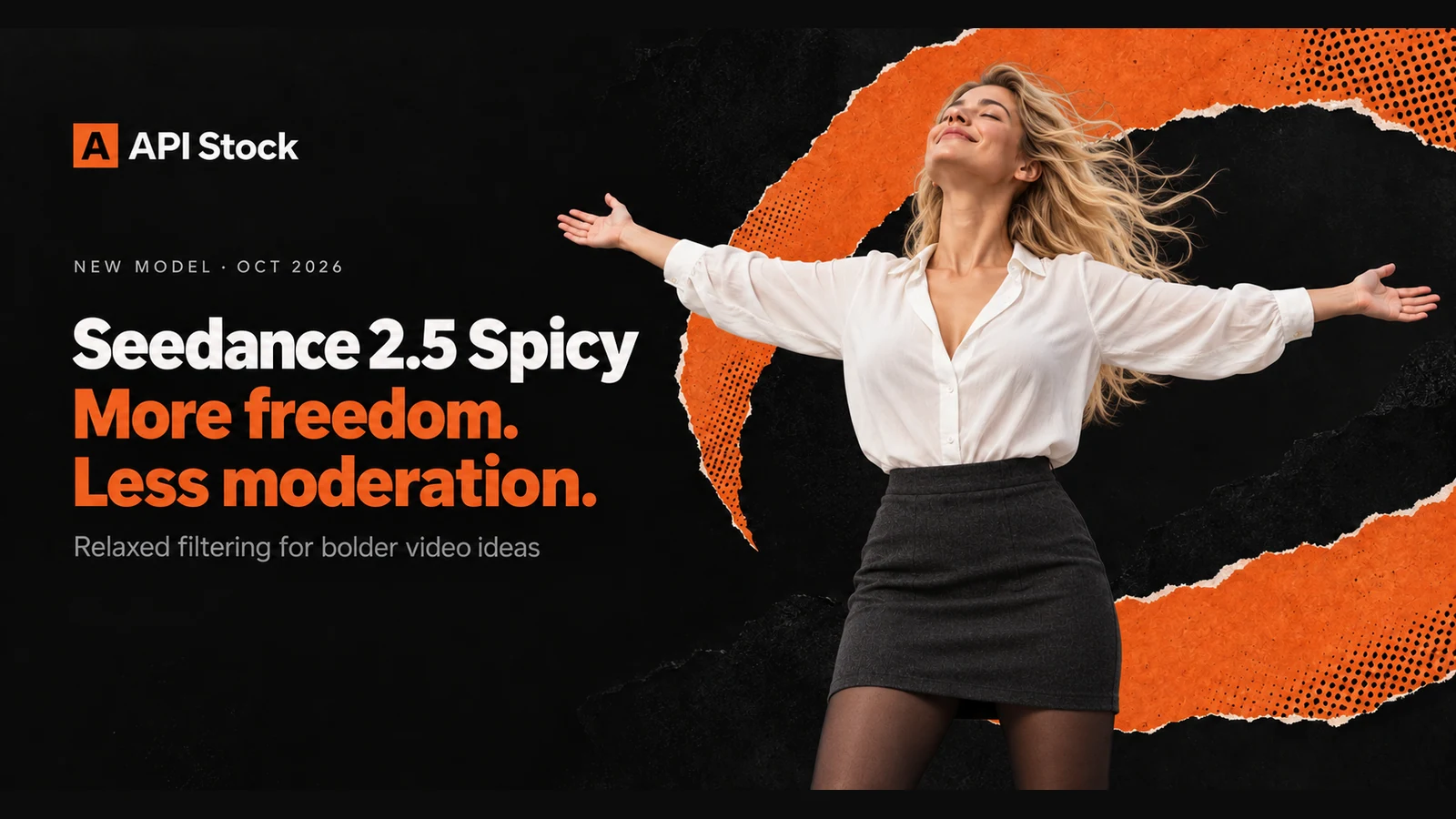
Seedance 2.5 Spicy puts creative freedom first, with relaxed content moderation for bolder video ideas. It combines that approach with 4–30-second clips, generated audio and output up to 1080p. On API Stock, it gives you a way to explore expressive scenes while keeping the familiar text, image and reference-based video workflow.
Why does lower content moderation matter?
Sometimes the hardest part of making a video is getting to the first attempt. You have a clear image in mind: a dramatic fashion shot, a sensual adult dance, a strange dream sequence or a tense horror scene. Then the tool objects to the description, and the next round of work becomes rewriting the idea instead of directing it.
Seedance 2.5 Spicy is built around a less restrictive moderation approach. That is its main attraction. You can spend more of your attention on the character, movement and atmosphere you want, with more room to describe mature themes and unconventional visual ideas directly.
For a creator, that room matters. A scene can be romantic without looking like a generic stock clip. A fantasy can feel unsettling. A fashion campaign can have attitude. A music visual can be stranger than a cheerful landscape. The goal is to retain the character of your brief as you move from a description to a finished shot.
Start with the Seedance 2.5 Spicy model page. If you already use Seedance 2.5, the key reason to consider Spicy is the filtering approach, rather than a higher maximum resolution.
What does creative freedom look like in a prompt?
Our cover makes the idea physical: a woman opens her arms, lifts her face and takes up space without hesitation. The same attitude works as a direction for a video. Give the character one expressive action, then let the camera and environment support it.
An adult woman, 28 years old, stands in an open stone courtyard wearing an opaque white blouse with an open V neckline, a charcoal skirt and black sheer tights. She stretches both arms out to the sides, raises her head toward the light and closes her eyes with a peaceful smile. Wind lifts her blonde hair and loose sleeves. Slow camera pullback, warm late-afternoon light, natural proportions, quiet wind and distant birds, no text.
The intended result is a shot that feels light and open: the arms establish the silhouette, the upward face gives the action its emotion, and the pullback makes the space feel larger. Five seconds is enough for this single gesture. Describe that moment clearly before adding a more elaborate camera move.
This is a prompt recipe to try, not a reported generation result. The cover is a separately generated editorial illustration of the idea.
Which bolder ideas suit this approach?
Adult fashion and sensual movement. Describe the styling, posture, fabric and light that make a campaign distinctive. An adult dancer turning slowly in an oversized shirt and tailored trousers can communicate confidence through the movement itself. Give the camera one job, such as a gentle orbit, rather than combining several cuts in the same short clip.
Dark fantasy and atmospheric horror. A deserted theatre, an unsettling figure or a room that slowly changes shape can carry a story without needing a complicated plot. Write the image you actually want to see: the texture of the walls, the direction of the light, the pace of the reveal. A precise mood is more useful than a stack of adjectives such as “epic” or “cinematic.”
Surreal music visuals. Let an impossible scene remain impossible. A dancer's shadow can move a beat behind her, or a field of black flowers can turn toward an unseen light. Choose one transformation per shot. A sequence of clear visual ideas is easier to edit into a music video than one generation asked to tell the entire story.
Expressive character scenes. A pause, an exhale or a raised face can say more than a long list of actions. When the character's appearance matters, start with an image reference and describe what changes over time. The image-to-video guide explains how to use a still as the visual starting point.
These are creative directions, not a tested list of prompts guaranteed to pass. Spicy uses softer filtering; it does not promise that every request will be accepted.
What can Seedance 2.5 Spicy generate?
The public integration keeps the main Seedance workflow: describe a scene, animate an image, combine references or continue a source video. The capabilities below were checked against the live catalog on 15 October 2026.
| Capability | Supported scope |
|---|---|
| Output duration | 4–30 seconds; 5 seconds by default |
| Resolution | 480p, 720p or 1080p |
| Generated audio | Available; enabled by default |
| Image references | Up to 30 images |
| Video references | Up to 10 clips; 2–30 seconds each, 30 seconds combined |
| Audio references | Up to 10 clips, 30 seconds combined; requires an image or video |
| Video continuation | Available with a source video and adaptive framing |
One image without other reference media is treated as the first frame. Use adaptive framing for that animation. If you want the image to guide the visual style instead, select reference mode explicitly. That distinction is useful when you want a composition to inspire the scene without making it the opening frame.
Video continuation is different from editing an existing clip. It asks for what happens next. The edit operation and automatic output duration are not exposed in this integration. See the model documentation for the exact input fields.
What does a short clip cost?
Prices checked in the live API Stock catalog on 15 October 2026, in USD:
| Resolution | Per output second, no video reference | Five-second clip |
|---|---|---|
| 480p | $0.15 | $0.75 |
| 720p | $0.3375 | $1.69 |
| 1080p | $0.8295 | $4.15 |
The clip examples round the total to cents and assume no video reference. Requests containing video references use a separate input-reference tariff for both input and output seconds. Check current pricing before budgeting a sequence. A short 480p attempt is a practical way to test the scene before choosing a final duration and resolution.
How should you start a new scene?
Begin with a short draft and one visual intention. For the freedom scene, that intention is the open pose. Keep the camera move slow enough for the silhouette to read. If the hands, face or timing need work, adjust the prompt or starting image before asking for a longer clip.
Next, decide whether you need a reference. Text is a good starting point when you are exploring a mood. An image is useful when the outfit, setting or character should already be established. Video and audio references can help guide a more developed concept, but they also add material for the model to interpret.
Review the result for the things that will matter in the final edit: the gesture, the hands, the fabric, the continuity of the background and the sound. Change one part of the brief at a time. A technically detailed prompt is not automatically a better prompt if its instructions fight each other.
Check current pricing before generating a batch. With reference video, billing includes the input-video duration as well as the output duration, using the reference-input tariff. A new high-resolution attempt is a new generation, so the motion can change too; it is not simply an upscale of your previous draft.
FAQ
What is the main difference between Seedance 2.5 Spicy and Seedance 2.5?
Spicy's main distinction is its relaxed content moderation. It is an option for creators who want more room for expressive, mature-themed or unconventional scenes within the familiar Seedance video workflow.
Does lower moderation mean there are no content checks?
No. Filtering is less restrictive, but a request can still be rejected. We have not measured a comparative refusal rate and do not promise acceptance of every prompt.
Can I animate my own image?
Yes. One image can supply the first frame, while reference mode can use it to guide the scene instead. You can also combine image, video and audio references within the supported limits.
Can I create video with sound?
Yes. Generated audio is available and enabled by default. Describe the sounds that belong in the scene, such as wind, footsteps or music, alongside the visual action.
What is a good first test?
Try a five-second 480p scene with one expressive action. Use the open-arms prompt above, review the gesture and composition, then refine the scene before spending more on duration or resolution.
- seedance
- video
- creativity
自分のキーで試す
この記事で紹介したモデルはすべてAPI Stockのカタログで利用できます。APIキーは1つ、前払い残高も1つ、プロバイダー間の自動フェイルオーバー付き。
次に読む
 ニュースWan 3.0 Pro: more creative freedom, video up to 4KWan 3.0 Pro brings relaxed moderation, video up to 4K and audio to API Stock. Explore bolder scenes, reference inputs and prices from $0.086 per second.·7分で読めます
 ニュースCreate AI images, video and music in our Telegram botOpen the Telegram bot, choose a model and confirm the price to create images, video and music, with the same account and balance you use on the website.·7分で読めます
 ニュースSora 2 API is shut down: the alternatives and what they costReplace the retired Sora 2 API by input type and duration. Compare current 720p costs, audio settings and a Veo migration request.·5分で読めます