Use case
Animate an illustration with AI: prompts and a $0.09 first clip
Turn a finished illustration into a six-second teaser with Grok Video: a motion prompt, a $0.09 first attempt, and checks for changes to your artwork.
To animate a finished illustration, give Grok Imagine 1.5 Video your image and a prompt describing one small movement. A six-second 480p attempt costs $0.09 through API Stock, as of 24 October 2026. Start with a short teaser for your artwork, then inspect the moving result before deciding whether it belongs in your portfolio or social post.
What kind of illustration should you start with?
Choose one finished view: a boat on water, a landscape with drifting clouds, or a character whose scarf can move. This recipe uses a monochrome ink sailboat illustration and asks for movement in the water while the boat and camera hold still. It explores motion from a flat image; it does not create editable animation layers or rig your drawing.
Use a clean export without a title, caption or watermark baked into the area you want to animate. Add your caption and credit afterwards in your video editor so you can keep the lettering sharp and editable. Keep an untouched original for comparison.
Crop the illustration to its intended display shape before uploading. For this example, use 16:9; for a vertical teaser, prepare a 9:16 source instead. Leave room around the subject for the proposed movement. An orbit around a flat drawing asks the model to invent its hidden side.
If you need the original lines to stay exactly unchanged, a conventional editor with a masked water layer is a better choice. Image-to-video generation can reinterpret the whole picture, even when the prompt asks it to preserve the boat.
What motion prompt can you paste into the playground?
Open the Grok Video playground, sign in and fund your balance if needed. Add one illustration using the reference-image control, choose 6 seconds, 480p and a matching aspect ratio, then review the displayed estimate.
For an ink drawing of a small sailboat on water, paste:
Animate the water in this ink illustration: gentle small waves travel from left to right beneath the sailboat. The boat, mast and sail hold their position and shape. Locked static camera, unchanged framing. Preserve the monochrome ink hatching and paper texture throughout. One continuous shot. Sound: quiet water only, no speech or music.
Grok fits this first experiment because today's interface accepts an existing image, offers a six-second request and lets you start at 480p before paying for a new 720p version. That is a workflow and budget choice, not a claim that it preserves drawings better than another model.
The important parts are the moving element, the fixed elements and the medium. “Make this cinematic” leaves all three undecided. If the result redesigns the sail, return to the same source and simplify the movement before trying another request.
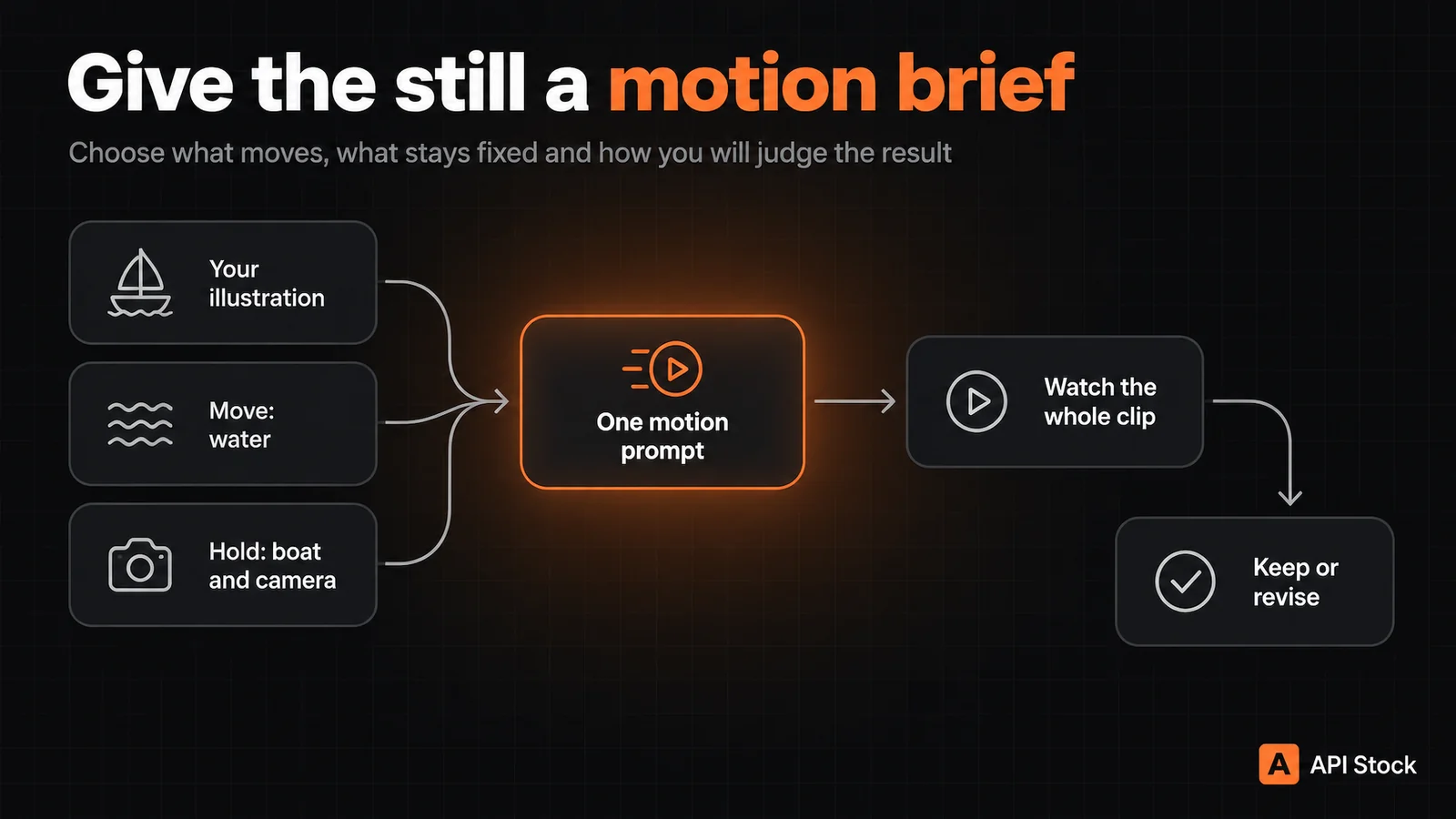
For a landscape, keep the structure but substitute your own elements:
Thin clouds drift slowly across the sky above the hills. The hills, trees and foreground stay still. Locked static camera, unchanged framing. Keep the original flat gouache shapes and colour palette. One continuous shot. Sound: a faint breeze, no speech or music.
That landscape prompt is an untested variation, not evidence of style preservation. Sound instructions are requests too: listen to the result, and mute or replace the audio if it does not suit your post. The current interface has no separate audio on/off input for this model.
What did one first attempt actually produce?
We generated the synthetic ink illustration below on 24 October 2026 with GPT Image 2.5 Sunburst, then submitted it once to Grok Imagine 1.5 Video using the exact sailboat motion prompt above: 16:9, six seconds, 480p. We kept the first returned output of each request; this is not a hand-drawn artist's work or a selected best-of-many result.
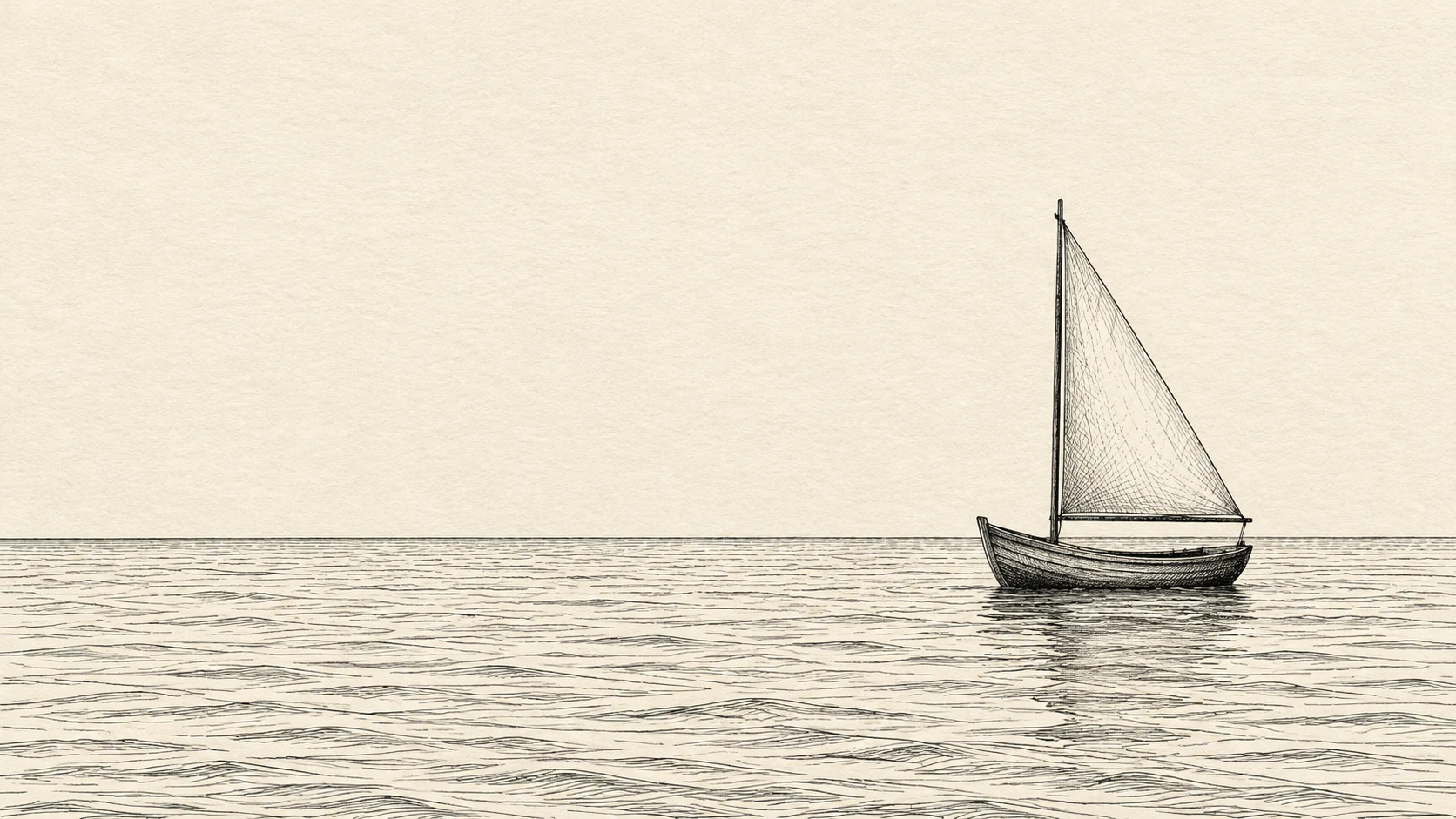
Our visual inspection sampled 24 frames at four per second, plus the final frame. In those samples, the boat remains on the right with its mast upright, while the water patterns change. Later frames add a darker, foam-like band and rework the water's ink texture: the output is an interpretation of the illustration, not the original strokes moving unchanged. Sampled stills do not establish smooth playback or exact motion direction, and we did not assess the audio content.
The returned video measures 736 × 400 pixels and about 6.04 seconds. Here, “480p” identifies the requested catalog tier; the file did not have a literal 480-pixel height. Check the downloaded file before planning a placement that needs exact dimensions.
The evidence record includes both prompts, settings, file hashes and review limits. The public source image is compressed to WebP without cropping or resizing; the video is the original returned MP4. Preparing our synthetic source was a separate $0.01 image request, so this demonstration's catalog generation budget was $0.10 including the $0.09 animation. Your own finished illustration needs only the video request. The cover and workflow diagram are editorial artwork, not Grok test results.
How much should you budget for the clip and revisions?
The live API Stock catalog lists $0.015 per second at 480p and $0.028 per second at 720p, checked 24 October 2026. These are public generation tariffs, not a price for an approved animation.
| Request | Calculation | Budget |
|---|---|---|
| One six-second 480p attempt | 6 × $0.015 | $0.090 |
| Three separate six-second 480p attempts | 3 × 6 × $0.015 | $0.270 |
| One six-second 720p attempt | 6 × $0.028 | $0.168 |
| One 480p attempt, then a new 720p request | $0.090 + $0.168 | $0.258 |
A new 720p request is another generation, not a resolution upgrade applied to your approved clip. It can produce different movement. A completed result you choose not to use still consumes its generation charge; three attempts are an example budget, not a prediction that the third will work.
These figures assume you already have the source illustration and exclude creating it, editing and any additional music. Check current pricing and the playground estimate before spending. If all you need is a slow zoom over an unchanged drawing, an ordinary video editor can do that without generating a new scene.
What should you check before posting the animation?
Watch the full clip at normal speed, then pause at the beginning, middle and end beside your original. A convincing first frame does not establish that the rest of the shot is usable.
For the sailboat, check these specific points:
- Outline: does the mast stay straight, and does the sail keep the same silhouette?
- Drawing style: do the ink strokes remain recognisable, or do they smear into a painted or photographic surface?
- Motion: is water actually moving, and does the boat acquire an unwanted tilt or a new direction?
- Framing and sound: does the camera drift, and is there unexpected speech, music or a distracting sound effect?
Keep the source beside every revision. If the same distortion appears repeatedly, stop spending on variations and use a manual layer animation for the element you need to control. For a broader explanation of reference-image workflows, see the image-to-video guide.
A six-second shot is not automatically a seamless loop. This interface exposes a source-image field but no last-frame or loop control. If you need repeat playback, compare the end against the beginning and trim or crossfade in an editor; even a crossfade may show a jump if the boat or horizon changed.
How can you send the same motion brief through the API?
The playground is enough for the first attempt. For automation, set API_STOCK_KEY to your own key and ART_URL to a direct HTTPS image URL you control, reachable without a login. This shell example needs jq:
export ART_URL='https://your-image-host.example/sailboat.png'jq -n --arg art "$ART_URL" '{model: "grok-imagine-1.5-video",input: {prompt: "Animate the water in this ink illustration: gentle small waves travel from left to right beneath the sailboat. The boat, mast and sail hold their position and shape. Locked static camera, unchanged framing. Preserve the monochrome ink hatching and paper texture throughout. One continuous shot. Sound: quiet water only, no speech or music.",urls: [$art],size: "16:9",duration: 6,resolution: "480p"}}' | curl --fail-with-body "https://api.api-stock.com/api/v1/generation/create" \-H "Authorization: Bearer $API_STOCK_KEY" \-H "Content-Type: application/json" \--data-binary @-
The create response contains data.taskId; it accepts the job rather than returning the finished video. Set TASK_ID to that value, then poll:
curl --fail-with-body "https://api.api-stock.com/api/v1/task/status/$TASK_ID" \-H "Authorization: Bearer $API_STOCK_KEY"
When data.status is finished, download data.files[0].fileUrl. The Grok Video request reference documents the input and response. Use urls for this model, rather than copying another model's imageUrls field.
For your first generation, upload one finished illustration to Grok Video, choose six seconds at 480p and ask for one small movement. Judge the whole clip before paying for a second version.
FAQ
Can I animate my own drawing without generating a new image first?
Yes. Supply your finished drawing as the reference image for Grok Imagine 1.5 Video and describe the motion. You do not need to recreate the still with an image model.
How much does a six-second illustration animation cost?
The catalog tariff is $0.09 at 480p or $0.168 at 720p, as of 24 October 2026. Those are per-request generation prices; additional attempts add to the budget.
Will the model preserve every line of my illustration?
Do not assume exact preservation. Compare the whole clip with the original, especially thin lines, small lettering and the subject's silhouette; use layer-based animation when those must remain unchanged.
Can I make a seamless animated loop?
You can try a restrained motion prompt and edit the result, but this interface has no dedicated loop or last-frame control. Check the join yourself rather than assuming six seconds will repeat smoothly.
Does six seconds describe how long generation takes?
No. It describes the requested clip length. Queueing, generation and result delivery take additional time; this recipe makes no typical-speed claim.
- illustration
- video
- grok
Try it with your own key
Choose a model in the API Stock catalog, check its price and try it in your browser or through the API.
Read next
 Use caseAI storyboard: plan three video shots with prompts and costPlan a three-shot video with Seedream Pro stills from $0.042 each, using a lighthouse script, reference prompts and continuity checks before motion.·8 min read
 Use caseAI music video for your song: models, prompts and costHow to make an AI music video for a song: which model suits which shot, prompts that work, and what three minutes of footage cost, from $2.38.·12 min read
 Use caseAI product description translation: a prompt and a real exampleTranslate a product listing with Gemini 3.8 Flash using a glossary and fact checks, with a real English-to-French example and its measured token cost.·8 min read