Use case
AI product photos for an online store: models, prompts, cost
How to turn one phone photo into a full set of product images with AI — which model to use for each shot, prompts that work, and the cost per photo.
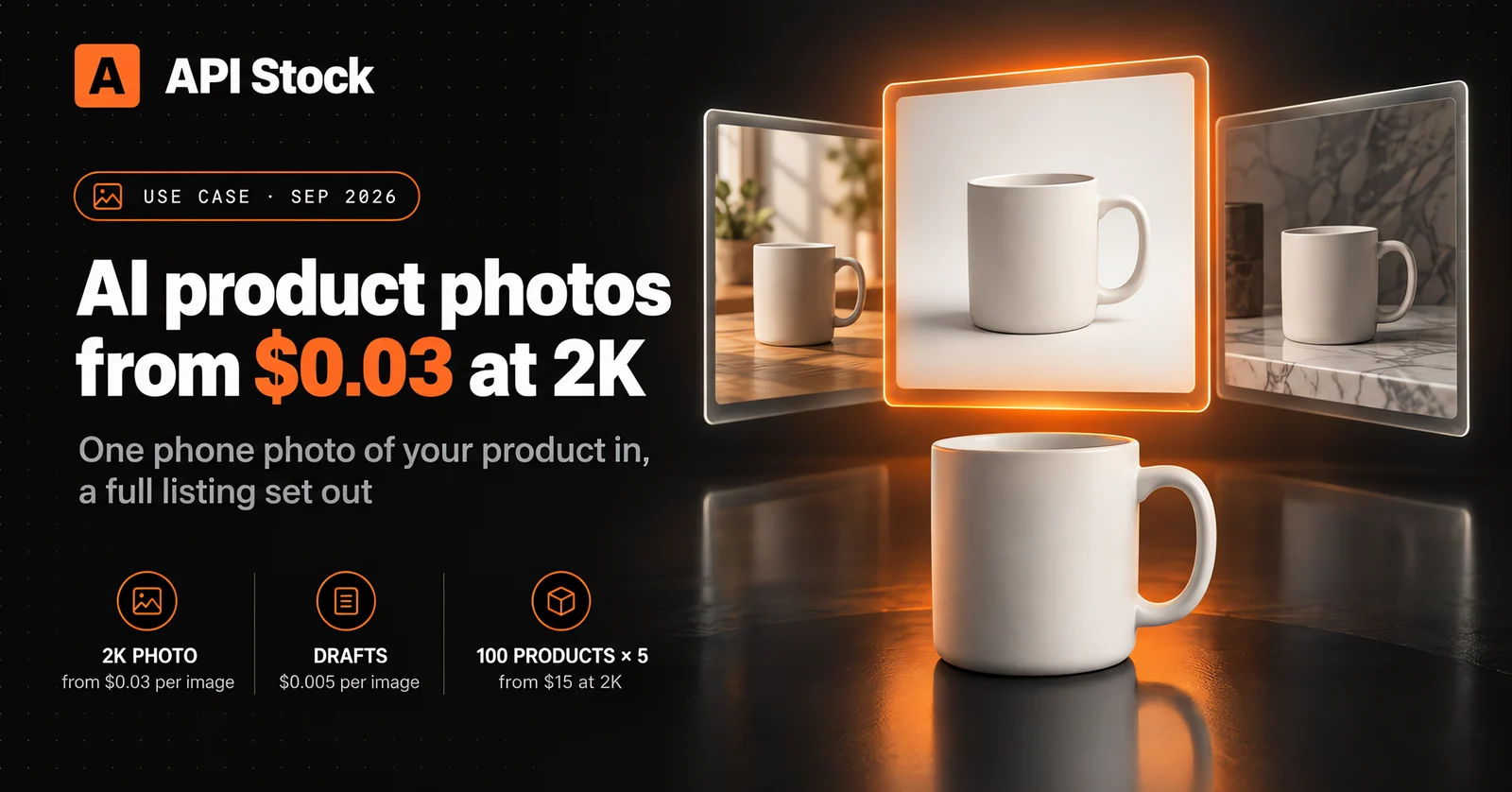
A finished 2K product photo made with AI costs $0.03 to $0.09 through API Stock: you upload one ordinary photo of the product, describe the new background or scene, and tell the model what must not change. Five photos for each of 100 products come to $15–44 at 2K before retries. Nano Banana Pro is the safest default for scenes, Seedream 5.0 Pro is the one to use when the image carries text, and $0.005 drafts on Nano Banana 2 Lite let you test ideas almost for free.
What can AI do for your product photos?
The useful mental model is not "generate a product" but "re-photograph the product you already have". The model gets your photo as a reference and changes everything around it — background, light, setting, props — while the product itself stays as it is. That covers most of what a listing needs:
- A packshot on white. A phone snapshot on a kitchen counter becomes a clean product-on-white image with a soft shadow, the kind marketplaces want as the main picture.
- Lifestyle scenes. The same mug on a sunlit breakfast table, on an office desk, on a marble shelf — without renting a studio or buying props.
- Seasonal and campaign variants. The product among autumn leaves for September, under fairy lights for December, in a flat-lay for a sale banner. A new season is a new prompt, not a new shoot.
- Feature cards. The product next to short callouts — "Dishwasher safe", "350 ml", "Handmade" — the infographic-style slides shoppers flick through on a marketplace.
- Formats for every channel. The same scene in 1:1 for the catalog, 4:5 for an Instagram post and 9:16 for Stories, as three renders from one reference.
What it cannot do is show something it has never seen. If you only photographed the front, the back of the box in a generated image is a guess. Photograph every side that matters, and use AI for the setting, not for the product.
Which AI model is best for product photos?
There is no single winner — each model in the catalog has a job it does best, and the prices differ more than fifteenfold. All of the ones below accept your photo as a reference and edit around it. Prices are per finished image, from the live API Stock catalog as of 28 September 2026:
| Model | Price per image | Use it for | Keep in mind |
|---|---|---|---|
| Nano Banana 2 Lite | $0.005 | Drafts: trying ten scene ideas before committing | Built for fast 1K output — not your final zoom image |
| GPT Image 2.5 Flare / Sunburst | $0.01 at 1K, $0.035 at 2K or 4K | Social posts at 1K; photos with printed text on the product | Flare is the quicker variant, Sunburst the more detailed one |
| Nano Banana 2 | $0.023 at 1K, $0.03 at 2K, $0.038 at 4K | The cheapest good 2K final; background swaps | — |
| Nano Banana Pro | $0.04 at 1K or 2K, $0.05 at 4K | The default for "change this, keep that" edits; 4K for zoom | 1K costs the same as 2K, so always take 2K |
| Seedream 5.0 Lite | $0.033 at 2K, 3K or 4K | A long series in one consistent look; 4K at the 2K price | No 1K option |
| Seedream 5.0 Pro | $0.044 at 1K, $0.088 at 2K | Feature cards and banners with text; combining several references | +$0.004 for each reference image after the first; 2K is the maximum |
In plain terms:
- Start with Nano Banana Pro. Our image editing guide calls it the default editor for background swaps and object changes, it handles "change this, keep that" instructions well, and at $0.04 a 2K photo it is cheap enough that you never need to settle for the first render.
- Switch to Nano Banana 2 when the budget matters more than the last bit of polish: $0.03 at 2K, with every common format from 1:1 to 4:5 and 9:16.
- Use Seedream 5.0 Pro for images with words in them. Its developer's launch post (8 July 2026) highlights posters with "multi-tiered, dense text, including the headline, discount terms, and event dates" and English text "rendered without spelling errors". That is exactly what a feature card or a sale banner needs. It is also the most expensive option here at $0.088 for 2K, so keep it for those images. (The point-and-lasso editing shown in that post is an app feature; through the API you edit with a prompt and reference images.)
- Try GPT Image 2.5 when your packaging has text that must survive the edit — our editing guide singles out its predecessor, GPT Image 2, as the model that edits pictures with readable words without garbling them. 2.5 came out on 8 September 2026 in two variants; both cost the same here, $0.01 at 1K and $0.035 at 2K or 4K.
How do you turn one phone photo into a whole listing set?
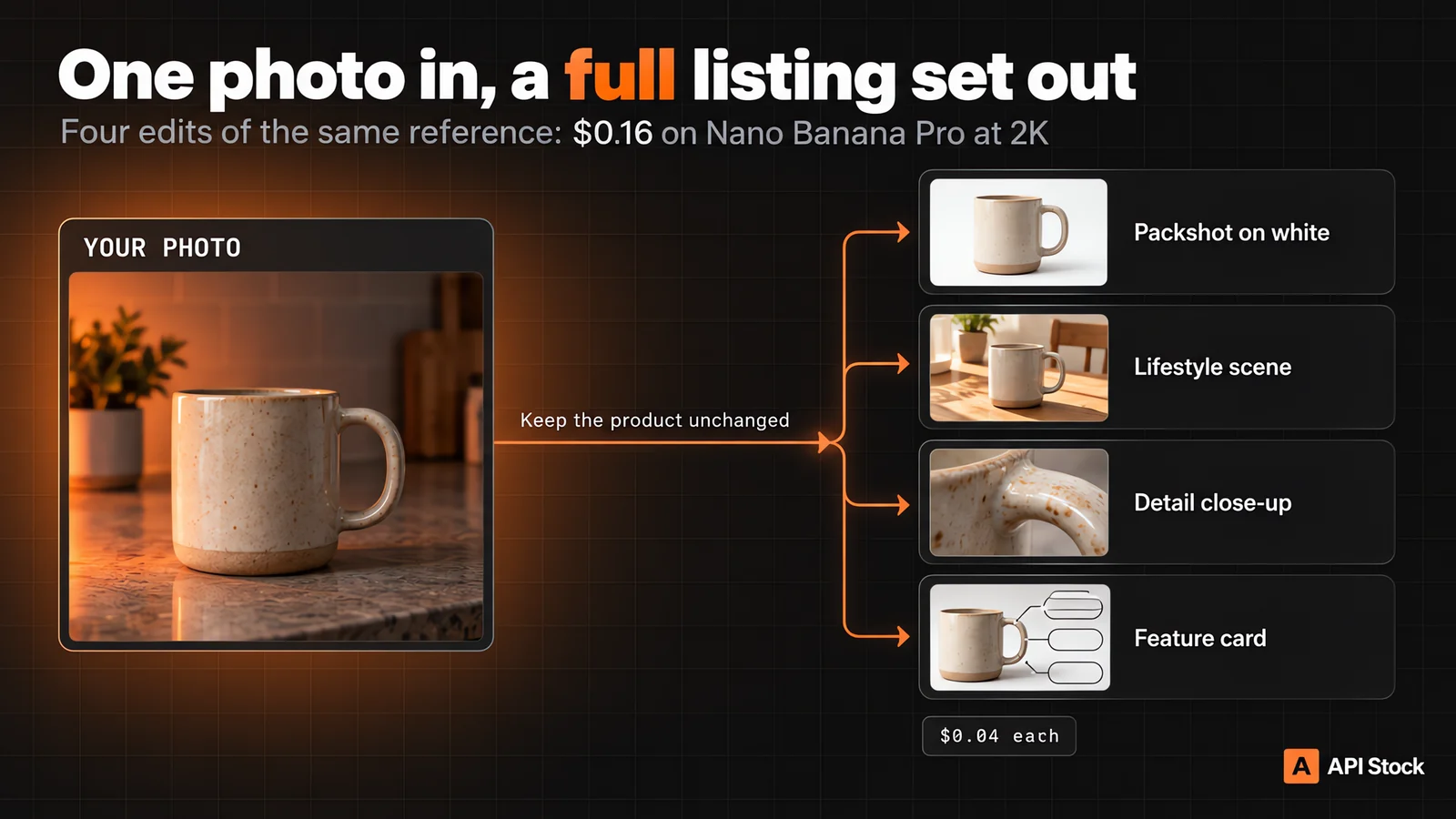
The workflow that wastes the least money has four steps.
- Take one good reference photo. Daylight from a window, the product filling most of the frame, the label facing the camera, a plain background, no hands. The model can move your product into any room, but it cannot fix a label that was blurry in the original. This photo is the most important input in the whole process.
- Draft the scenes cheaply. Run your scene ideas on Nano Banana 2 Lite at $0.005 each. Twenty ideas cost $0.10; throw away the ones that do not work and keep the prompts of the ones that do.
- Render the finals on one model, from the same reference. Pick a model from the table, render each approved scene at 2K and always pass the same original photo — not the previous output. Feeding a generated image back in lets small errors pile up from one image to the next.
- Check every image against the real product. Logo, label text, colour, proportions, the number of buttons. If anything drifted, re-run with a stronger "keep" sentence rather than publishing it.
Four finished 2K images from one reference — a packshot, a lifestyle scene, a detail shot and a feature card — cost $0.16 on Nano Banana Pro.
Which prompts work for product photos?
A product prompt is an instruction with two halves: what changes, then what must stay exactly as it is. The second half is the one people forget, and it is why edits come back with a slightly different product. These work with any model in the table; replace the mug with your product.
Packshot on white — for the main catalog image:
Place the mug from the reference photo on a seamless pure white background,centred, with a soft natural shadow underneath. Studio lighting, sharp focus.Keep the mug's shape, colour, glaze and logo exactly as in the photo.
You get a clean, evenly lit cut-out look. If the shadow comes out too hard, say "very soft, diffuse shadow".
Lifestyle scene — for the second and third slides:
Put the mug from the reference photo on a light oak breakfast table next to awindow, morning sunlight, a plate with a croissant slightly out of focus in thebackground. Keep the mug exactly as it is: same shape, colour and logo.
Name the light source ("next to a window, morning sunlight"): a product lit from a different direction than the scene around it is the most common tell of a fake composite.
Seasonal variant — for a campaign banner:
The mug from the reference photo on a rustic wooden surface surrounded byautumn leaves and a small pumpkin, warm golden-hour light, wide 16:9 framingwith empty space on the left for text. Do not change the mug.
"Empty space on the left" leaves room to add your own headline later in any editor.
Feature card — on Seedream 5.0 Pro:
Product feature card for a marketplace listing, 3:4. The mug from thereference photo on the right on a soft beige background. On the left, threerounded labels with exactly this text: "Dishwasher safe", "350 ml","Handmade ceramic". Clean sans-serif font. Keep the mug unchanged.
Put every word you want in quotes and keep it short. Proofread the result letter by letter anyway — and check the numbers are true for your product, because the model will print whatever you ask it to.
One look across the whole catalog. When 30 products must look like one shoot, reuse the same scene sentence word for word ("light oak table, morning window light from the left, soft shadows") and change only the product reference. Seedream 5.0 Lite is a good fit for long series: every image costs $0.033 whether you take 2K or 4K.
How much does AI product photography cost for a whole store?
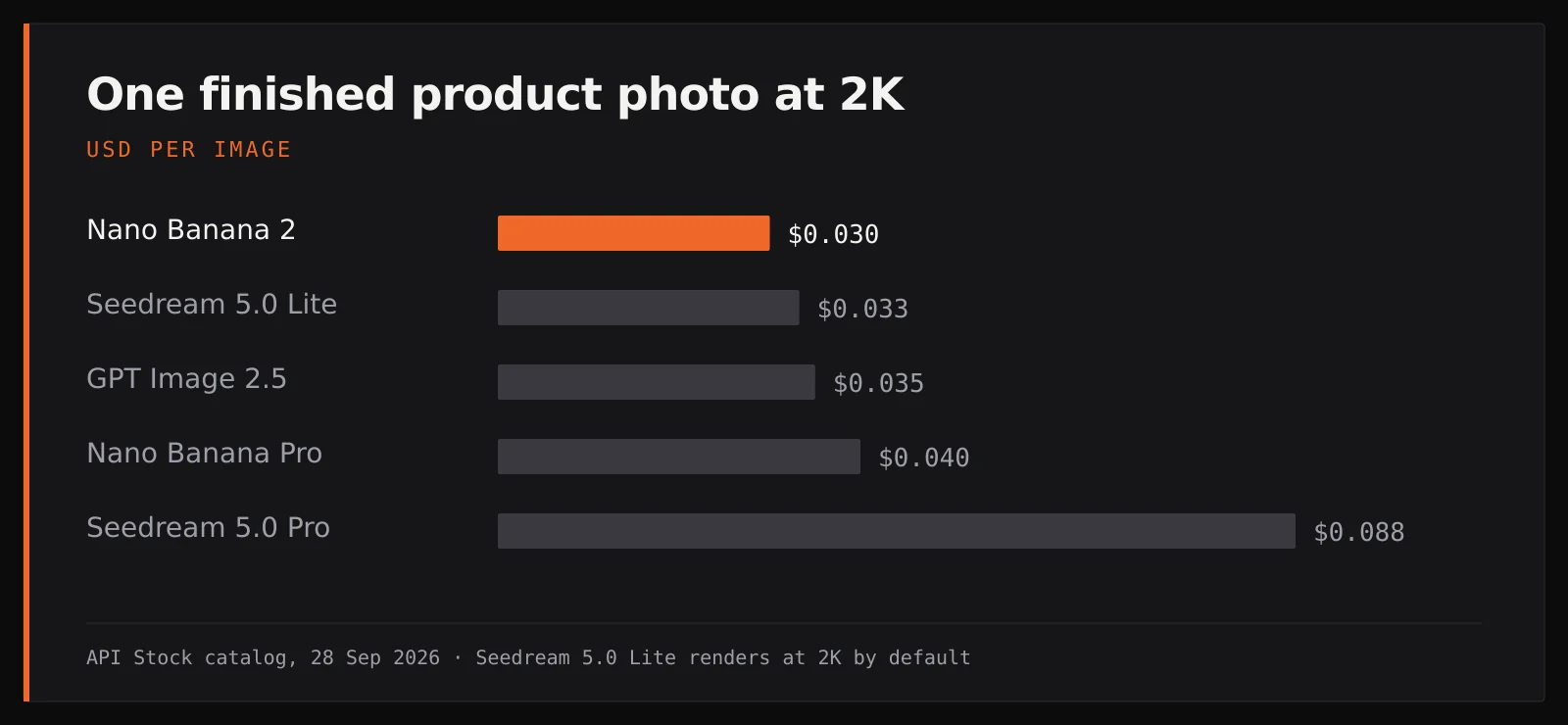
Take a store with 100 products and five photos each — 500 finished images. At 2K, as of 28 September 2026:
| Model | Price per image | 500 images |
|---|---|---|
| Nano Banana 2 Lite (drafts) | $0.005 | $2.50 |
| GPT Image 2.5, 1K | $0.01 | $5.00 |
| Nano Banana 2, 2K | $0.03 | $15.00 |
| Seedream 5.0 Lite, 2K | $0.033 | $16.63 |
| GPT Image 2.5, 2K | $0.035 | $17.50 |
| Nano Banana Pro, 2K | $0.04 | $20.00 |
| Seedream 5.0 Pro, 2K | $0.088 | $44.00 |
Two honest corrections to that table. First, you will not keep every render: if one in three is good enough, multiply by three — 500 keepers on Nano Banana 2 then cost about $45. Second, a mixed plan is usually cheaper than one premium model: four photos per product on Nano Banana 2 plus one feature card on Seedream 5.0 Pro is $0.208 per product, or $20.80 for all 100 — before retries.
Generations that fail are refunded automatically; images that finish but you do not like are paid for. That is why the $0.005 drafting step pays for itself. API Stock is prepaid with one balance for every model and no subscription — see pricing for top-ups, or put two models side by side on the compare page.
What are the limits and risks?
- The product can drift. A letter in the logo, the shade of a glaze, the length of a strap. Every model does it sometimes; the "keep … exactly as in the photo" sentence reduces it, checking catches it. Never publish an image that shows something your product does not have — to a customer that is misrepresentation, not marketing.
- Colour is the hardest thing to hold. If you sell the same item in five colours, photograph all five. Recolouring one photo with AI is fine for a mock-up and risky for a listing, because a shade that is slightly off leads to returns.
- No recognisable people in references. Photos with identifiable faces are the most common reason an edit is rejected; the charge is refunded, but you get no image. For clothing, shoot a flat-lay or a mannequin and ask for the scene around it.
- Your photo must be reachable by URL. The model fetches the reference from a public link; a link that needs a login or expires within seconds fails. Seedream and GPT Image also accept the image embedded directly in the request.
- Check your marketplace's image rules. Many require the main image to be the real product on a plain white background and restrict text on it. An AI-edited photo of your actual product can meet those rules; keep feature cards and lifestyle scenes for the secondary slides.
Can you automate it for the whole catalog?
Yes — every model above takes the same kind of request, so a small script can loop over a product spreadsheet and submit one task per product and scene. You do not need code for a first try: every model page has a playground where you paste your photo link and a prompt. When you are ready to automate, this is the whole request:
curl -X POST https://api.api-stock.com/api/v1/generation/create \-H "Authorization: Bearer $API_STOCK_KEY" \-H "Content-Type: application/json" \-d '{"model": "nano-banana-pro","input": {"prompt": "Place the mug from the reference photo on a seamless pure white background with a soft shadow. Keep the mug exactly as in the photo.","urls": ["https://example.com/mug-phone-photo.jpg"],"size": "1:1","resolution": "2K"}}'
It returns a task id at once; the finished image arrives by polling or webhook. Every field for every model is in the image model docs, and the image generation guide covers text-only prompts and batches.
FAQ
How much does an AI product photo cost?
Through API Stock, a finished 2K product photo costs from $0.03 on Nano Banana 2 to $0.088 on Seedream 5.0 Pro, as of 28 September 2026. Drafts on Nano Banana 2 Lite cost $0.005 each. Failed generations are refunded.
Which AI model is best for product photos?
Nano Banana Pro is the safest default for putting your product into a new scene ($0.04 at 2K). Nano Banana 2 is the budget pick ($0.03 at 2K), and Seedream 5.0 Pro is the choice for feature cards and banners that carry text ($0.088 at 2K).
Can AI replace a product photographer?
For backgrounds, scenes and seasonal variants, largely yes — as long as you start from a good real photo of the product. It cannot show sides or details you never photographed, and colour-critical products still need a real photo of every colourway.
Can I use AI-edited photos on a marketplace?
Usually, if the image shows your actual product accurately. Many marketplaces require a plain white background for the main image and limit text on it, so check their image rules and use feature cards and lifestyle scenes as secondary images.
Do I need to know how to code?
No. Each model page on API Stock has a playground: paste a link to your photo, write the prompt, and download the result. Code only matters when you want to process a whole catalog automatically.
- ecommerce
- image
- product-photos
- seedream
Try it with your own key
Every model mentioned here is live in the API Stock catalog — one API key, one prepaid balance, automatic fallback between providers.
Read next
 NewsSora 2 API is shut down: the alternatives and what they costOpenAI retired the Sora 2 API on 24 September 2026. Which video model replaces it for each job, what an 8-second clip with sound costs now, and how to switch.·7 min read
 TutorialSuno API guide: all 31 actions, modes and pricesA practical map of all 31 Suno API actions: create songs, edit tracks, extract stems and data, choose simple or custom mode, and price each step.·7 min read
 ComparisonVideo generation API pricing: what a usable clip costsCompare video API prices by supported duration, resolution and audio. See a 10-second cost table, a worked production budget and a runnable request.·6 min read