Comparison
FLUX 3 Image vs Klein: API edits and cost per banner
Build a reference-based banner with FLUX 3 Image from $0.06 at 1K, compare Klein's separate API, and budget drafts, final renders and rejected attempts.
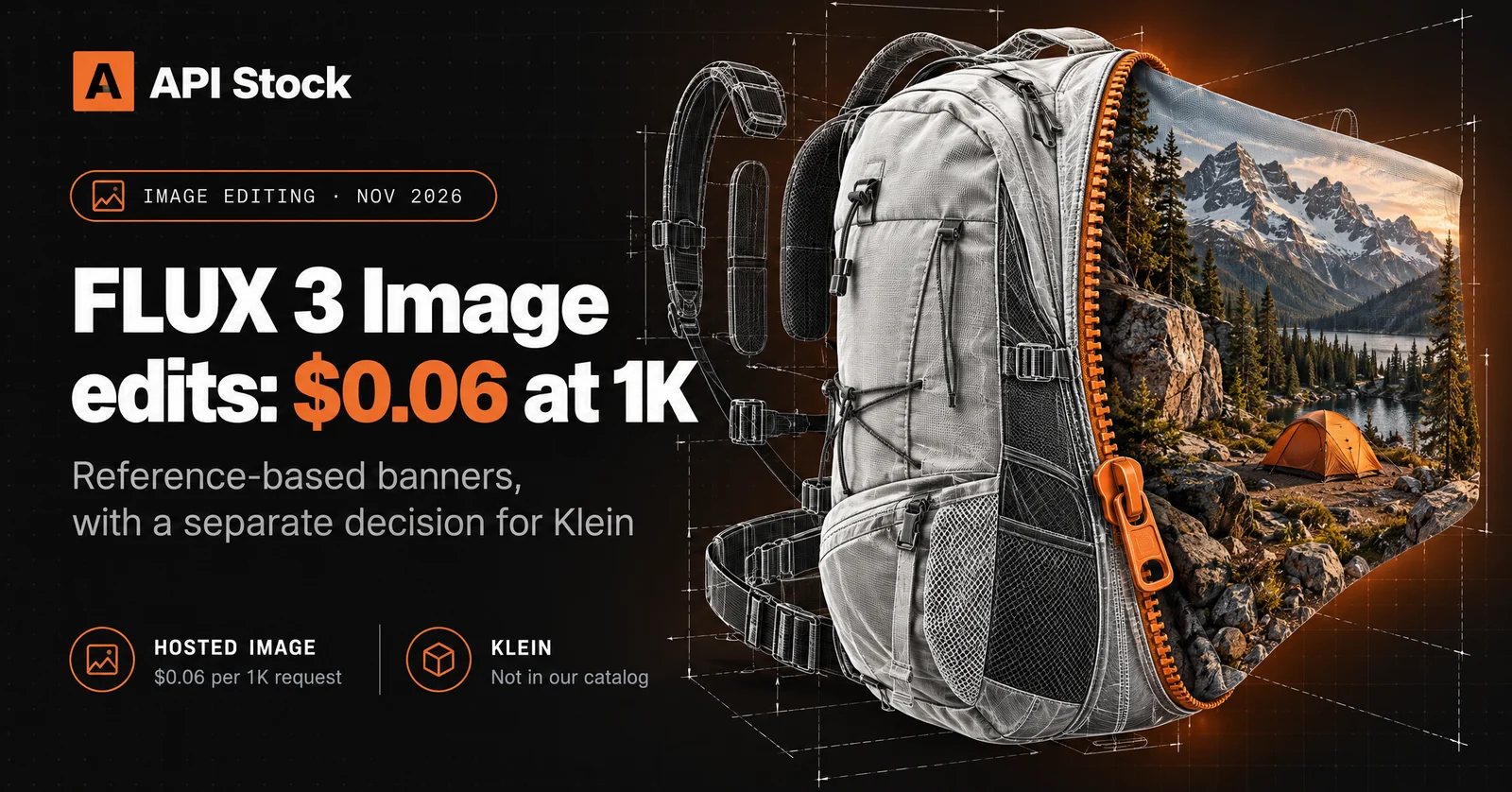
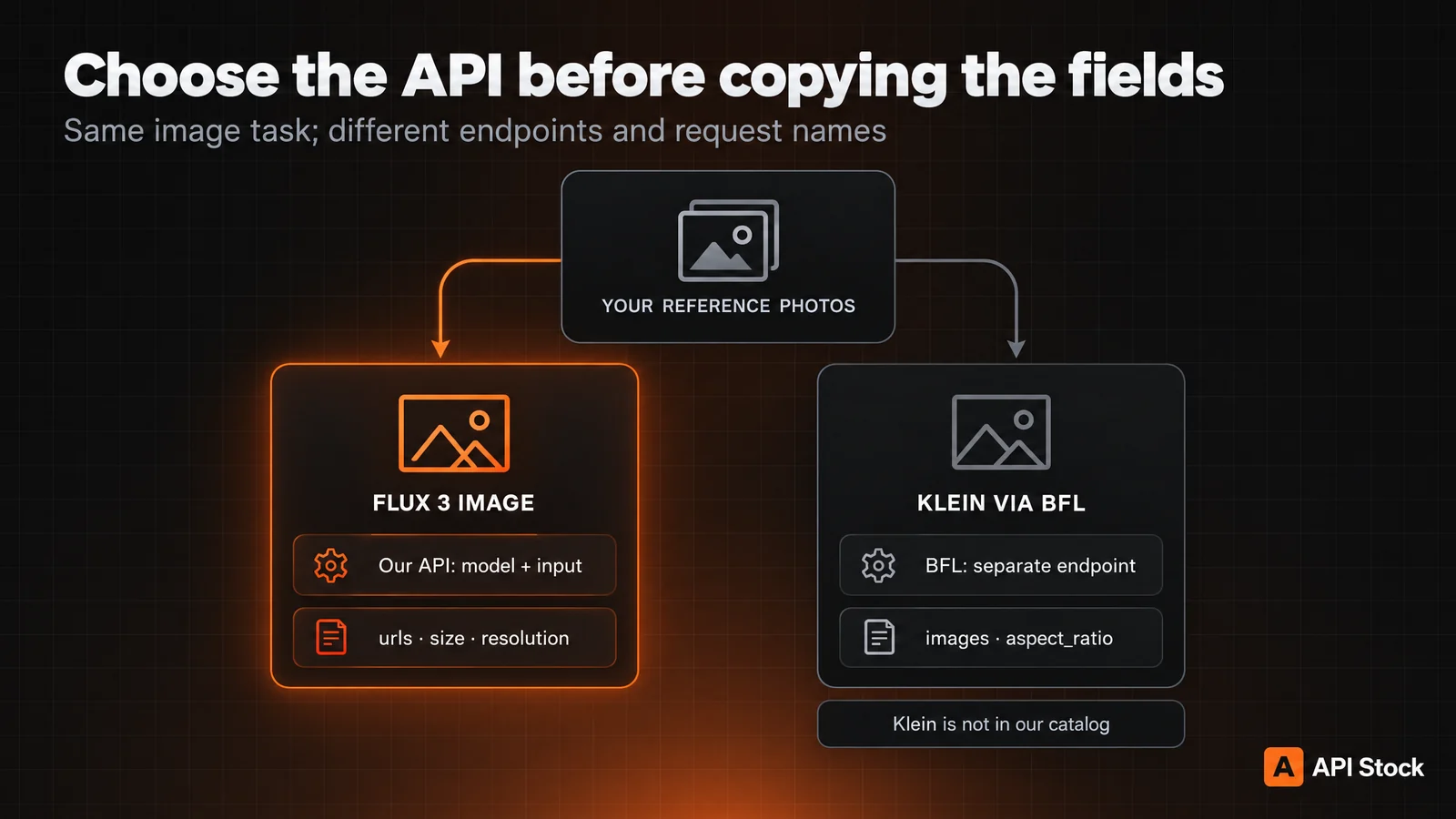
A reference-based FLUX 3 Image banner costs $0.06 per 1K request through API Stock; a new 2K render costs $0.12. FLUX 3 Image Klein is a separate model, available from Black Forest Labs and as downloadable weights, but absent from our catalog as of 9 November 2026. Choose the service and its request format before comparing prices: changing our model ID to flux-3-image-klein will not run Klein.
The practical task here is a hiking-backpack banner: keep the real product recognisable, place it in a campsite setting and leave room for a headline. This is a recipe and contract comparison, not a measured quality test. The cover and diagram are editorial artwork generated separately; they are not FLUX outputs.
Which FLUX 3 model can you actually call?
Black Forest Labs released FLUX 3 Image on 1 October and Klein on 15 October 2026. Klein adds a downloadable deployment option to the family. Our FLUX 3 Image page provides the hosted full model, with text generation and reference-based edits in the same form.
| Decision | FLUX 3 Image through API Stock | FLUX 3 Image Klein |
|---|---|---|
| Where to start | Our model page or generation API | BFL API or your own deployment |
| API selection | model: "flux-3-image" | Separate BFL Klein endpoint |
| Reference inputs | Up to 10 image URLs | Up to 10 references in BFL's documented contract |
| Output selection | Five resolution tiers, up to 4K | Up to 4K in BFL's documentation |
| Weight customization | Not exposed by our hosted form | Base checkpoint for fine-tuning; Distilled for inference |
Klein's official overview distinguishes those two checkpoints and describes a prompt upsampler: a model that expands the instruction into the caption the image generator expects. BFL runs that stage automatically in its API. For a local deployment, evaluate the whole pipeline, including that stage; the image generator's parameter count alone does not tell you the memory requirement.
Choose our hosted Image model if you want to add a reference edit to an application using your existing API Stock API key and balance. Evaluate Klein separately if downloadable weights or fine-tuning are requirements. This comparison establishes access, fields and tariffs; it does not establish which model will preserve your backpack better.
What does one image cost at the same resolution?
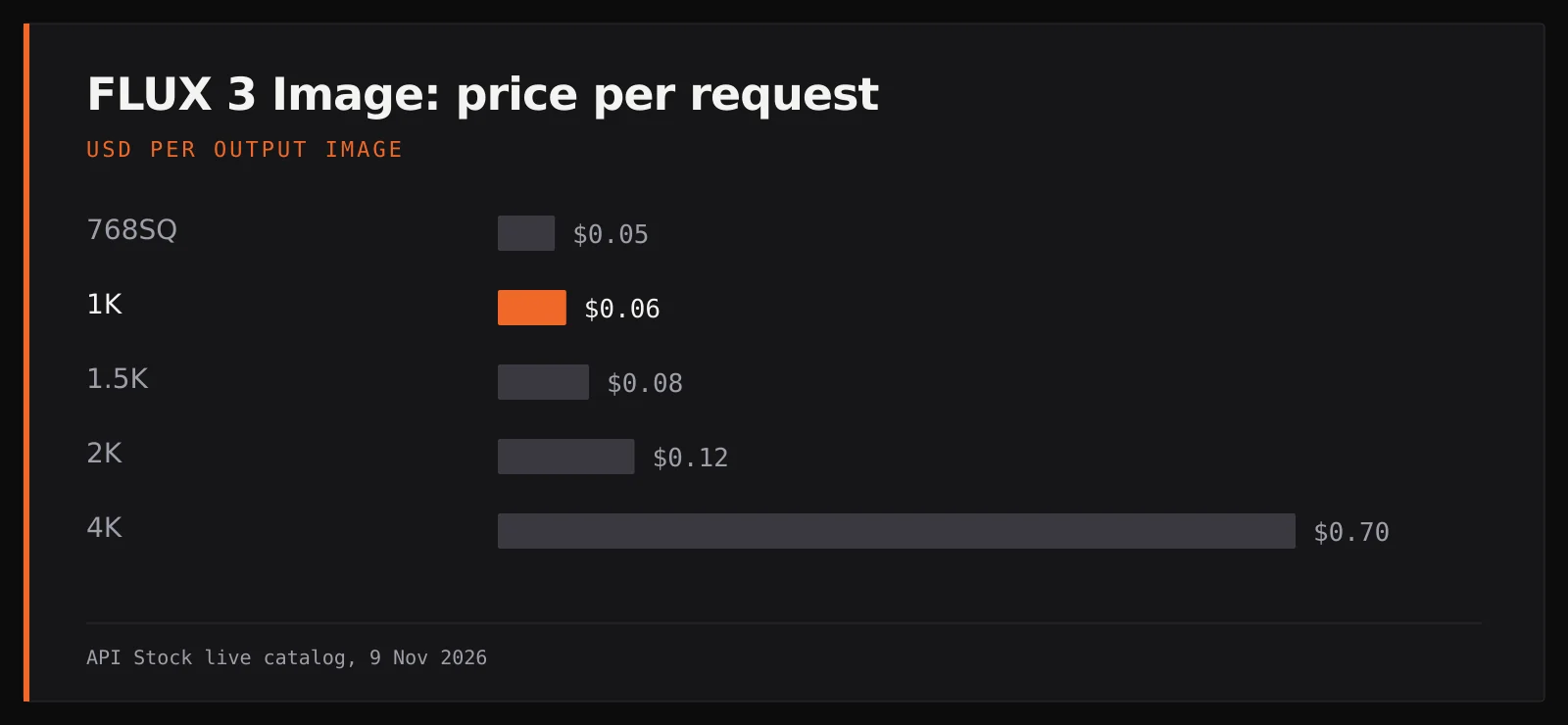
Public prices checked 9 November 2026, USD per output image. Our column comes from the live catalog; Klein's column is the separate BFL API list price. Text-to-image and editing use the resolution tariff in each column. Local hardware, engineering time, storage and taxes are outside this table.
| Output tier | FLUX 3 Image through API Stock | Klein through BFL |
|---|---|---|
| 768SQ / 768 × 768 | $0.05 | $0.008 |
| 1K | $0.06 | $0.009 |
| 1.5K | $0.08 | $0.011 |
| 2K | $0.12 | $0.014 |
| 4K | $0.70 | $0.036 |
These are two models on two services, compared at matching resolution classes. The lower request price does not demonstrate equal output quality or a lower cost per accepted banner. A minimum balance top-up is also different from the price of a request; check the current pricing page before funding an account.
For a campaign of 20 accepted banners, consider this explicitly hypothetical allocation: three 1K drafts and one new 2K final request per banner. Each allocation costs 3 × $0.06 + $0.12 = $0.30; twenty cost $6.00. This assumes one accepted final per allocation, not a measured acceptance rate. If those same 80 requests produce only ten accepted banners, the cost per accepted banner is $0.60.
A higher-resolution request generates another result; it does not guarantee an identical copy of an accepted draft. If you already have the exact composition you need, assess whether normal resizing and layout work are sufficient before paying for another generation. A dated tariff and schema snapshot accompanies this article.
How do you prepare references for a backpack banner?
Use a clear product photo as image 1 and a setting you have permission to use as image 2. Keep the backpack unobscured in the product photo so that you can compare the output with its shape, colour, straps and fasteners. Extra references should each have a purpose; ten available slots are not a requirement to fill ten slots.
Try this instruction in the FLUX 3 Image playground, with size set to 16:9, resolution to 1K and grounding to false:
Use image 1 as the product reference and image 2 as the campsite setting. Place the backpack from image 1 on the right side of a wide campaign image, standing on the ground in the setting from image 2. Preserve its overall shape, fabric colour, strap attachments, zipper positions and visible branding. Match the lighting and contact shadow to the setting. Leave the left third visually quiet for a headline added later. Do not add writing or extra products.
Those preservation instructions define what to check; they are not a guarantee. Inspect at full size for changed hardware, invented pockets, distorted branding and an implausible contact shadow. Compare the result with image 1 before judging whether it looks attractive as an advertisement. Add the exact campaign headline and legal copy in your usual editor.
Stop after two drafts show the same material product defect. Simplify the setting or improve the reference instead of ordering the whole campaign. If exact product geometry is mandatory and edits keep altering it, use a conventional cutout-and-composite workflow. The image-editing guide explains how to assign roles to references across other supported models.
Which API fields differ from BFL examples?
Our current public FLUX 3 Image input has five fields: prompt, urls, size, resolution and grounding. urls supplies references, size chooses an aspect ratio, and the resolution spelling is case-sensitive: 768SQ, 1K, 1.5K, 2K or 4K. Omit references for text-to-image. Grounding allows search; disable it for this controlled-reference recipe.
In BFL examples, references use images and the aspect ratio uses aspect_ratio. Its 22 October release notes also describe exact dimensions and match_input for the full Image endpoint. Our current schema does not expose width, height or match_input; use its listed aspect ratios and resolution tiers, then perform any exact final crop in your editor.
The following Bash example needs curl, jq, your API key and two publicly reachable HTTPS image URLs. It creates one generation, polls its task and downloads the first file when the task finishes. It was checked against the current public schema and task documentation, but was not executed as a paid FLUX test.
set -euo pipefail: "${API_STOCK_KEY:?Set your API key}": "${PRODUCT_IMAGE_URL:?Set your product photo HTTPS URL}": "${SETTING_IMAGE_URL:?Set your setting photo HTTPS URL}"CREATE=$(curl --fail --silent --show-error --max-time 60 \'https://api.api-stock.com/api/v1/generation/create' \-H "Authorization: Bearer $API_STOCK_KEY" \-H 'Content-Type: application/json' \--data "$(jq -n \--arg product "$PRODUCT_IMAGE_URL" \--arg setting "$SETTING_IMAGE_URL" \'{model: "flux-3-image", input: {prompt: "Put the backpack from image 1 on the right in the campsite from image 2. Preserve its shape, colour, straps, zippers and branding. Match the light and contact shadow. Leave the left third quiet. No added text or products.",urls: [$product, $setting],size: "16:9", resolution: "1K", grounding: false}}')")TASK_ID=$(printf '%s' "$CREATE" | jq -er '.data.taskId')printf 'Task: %s\n' "$TASK_ID"for attempt in $(seq 1 60); doTASK=$(curl --fail --silent --show-error --max-time 30 \"https://api.api-stock.com/api/v1/task/status/$TASK_ID" \-H "Authorization: Bearer $API_STOCK_KEY")STATUS=$(printf '%s' "$TASK" | jq -er '.data.status')case "$STATUS" infinished)FILE_URL=$(printf '%s' "$TASK" | jq -er '.data.files[0].fileUrl')curl --fail --location --show-error --max-time 120 \--proto '=https' --proto-redir '=https' \"$FILE_URL" --output banner-imageexit 0 ;;failed|expired)printf '%s\n' "$TASK" | jq '.data | {status, errorMessage}'exit 1 ;;not_started|processing) sleep 5 ;;*) printf 'Unexpected status: %s\n' "$STATUS" >&2; exit 1 ;;esacdoneprintf 'Polling stopped; check the same task again: %s\n' "$TASK_ID" >&2exit 1
banner-image contains the returned image bytes; inspect its format before assigning an extension. The shell exits after saving that file. If polling stops, keep the printed task ID and resume status checks rather than resending the create request. An ambiguous network response to creation also needs reconciliation before another POST, because a second request can create another charged task.
For a production application, follow the task and webhook contract and keep the API key on your server. The image-generation guide covers the shared create-and-retrieve flow. Each public request asks for one generation; implement a campaign as separately tracked tasks, with an explicit spending limit and editorial acceptance step.
Start with one 1K reference edit for $0.06. Its purpose is to decide whether this workflow preserves your product well enough to justify a campaign, before ordering final-resolution variants.
FAQ
Can I use Klein with my existing FLUX 3 Image model ID?
No. As checked on 9 November 2026, our flux-3-image ID selects the full Image model and Klein is absent from the catalog. BFL's Klein API and downloadable checkpoints are separate options.
Do ten references cost ten times as much?
Our FLUX 3 Image catalog prices are per output image at the chosen resolution; references and grounding have no separate charge. A new generation request is another attempt, even when you reuse the same photos.
Is Klein automatically the cheaper campaign option?
Its BFL list price per image is lower in the matching resolution tiers above. Campaign cost still depends on how many outputs meet your requirements, plus any deployment and integration costs; this article does not measure either model's acceptance rate.
Can I ask for an exact pixel size through this API?
Our current FLUX 3 Image schema exposes aspect ratio and resolution tiers, not width, height or match_input. Check your advertising placement's dimensions and make the final layout or crop in an editor.
Are downloadable Klein weights unrestricted?
They have a named license, not an automatic grant for every use. Read the FLUX Kommunity License supplied with the checkpoint for your intended deployment; this article does not interpret its legal terms.
- flux
- images
- editing
- pricing
Try it with your own key
Choose a model in the API Stock catalog, check its price and try it in your browser or through the API.
Read next
 ComparisonNano Banana 2.1 vs GPT Image 2.5: prices and image sizeChoose between Nano Banana 2.1 and GPT Image 2.5 Sunburst using current 1K, 2K and 4K prices, editing limits and a budget for image candidates.·4 min read
 ComparisonGPT-6.1 Sol vs Claude Opus 5.5: benchmarks and costCompare GPT-6.1 Sol and Claude Opus 5.5 using published coding benchmarks, Agent Arena results, current API tariffs and a fixed token budget.·5 min read
 ComparisonGPT-6.1 Sol vs Claude Sonnet 5.5: benchmarks and costCompare GPT-6.1 Sol and Claude Sonnet 5.5 using Artificial Analysis benchmarks, Agent Arena intervals, API protocols and a fixed token budget.·6 min read