Video
Bild zu Video
Ein Referenzbild animieren, ohne Motiv, Komposition oder Stil zu verlieren.
Das Ausgangsbild legt Motiv und Komposition fest. Der Prompt sollte Bewegung, Tempo und unveränderte Elemente klar benennen; kurze Animationen sind am besten kontrollierbar.
Praktische Grundlagen
Wählen Sie das Modell nach der wichtigsten Eigenschaft — Tempo, Genauigkeit, Auflösung oder Kontrolle — und speichern Sie Parameter und Version jedes Ergebnisses. wan2.7-video, kling-3.0-* and veo3.1-* — Image to video.
Ändern Sie pro Versuch nur eine Sache. Gute Ausgaben werden zu Referenzen und damit zum zuverlässigsten Ausgangspunkt der nächsten Iteration.
Behandeln Sie finished und failed als Endzustände. Nutzen Sie Polling oder Webhooks, bewahren Sie Rohfehler serverseitig auf und zeigen Sie Nutzerinnen und Nutzern nur sichere Meldungen.
Prompts und API-Beispiele
A matte-black espresso machine on a concrete counter with steam and morning light
Steam rises and drifts left, the light slowly warms, camera pushes in veryslightly. Everything else stays still.
A hyperrealistic macro photo of tiny, miniature surfers riding ocean wavesinside a rustic stone bathroom sink. A vintage brass faucet is running,creating the perpetual surf. Surreal, whimsical, bright natural lighting.
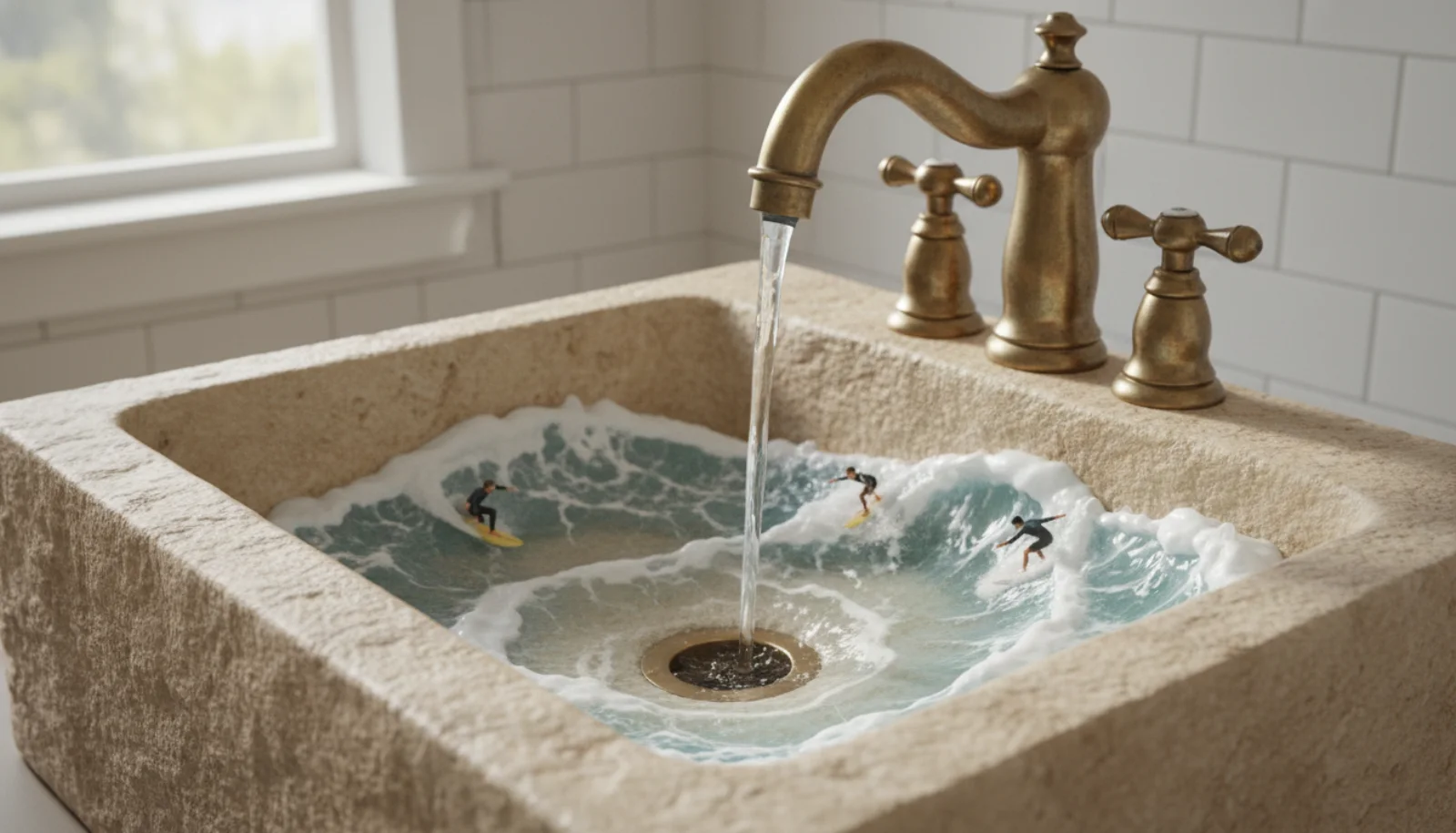
Source: Google AI for Developers, used under CC BY 4.0; format and dimensions adapted.
A surreal, cinematic macro video. Tiny surfers ride perpetual, rolling wavesinside a stone bathroom sink. A running vintage brass faucet generates theendless surf. The camera slowly pans across the whimsical, sunlit scene as theminiature figures expertly carve the turquoise water.
Source: Google AI for Developers, used under CC BY 4.0; format and dimensions adapted.
Smooth continuous transition between the two framings, no cuts, naturallighting change
The character turns from the window toward the camera and smiles. Room toneand distant traffic. No cuts.
The character performs the motion from the reference video, keeping their ownclothing and appearance
About these samples. Ready-made examples are copied to our own storage only when their source permits reuse. The exact prompt appears above each result, and the original source and license are linked below the media.
{"model": "seedance-2.0","input": {"prompt": "The camera drifts left as the sun clears the ridge","imageWithRoles": [{ "url": "https://example.com/dawn.jpg", "role": "first_frame" },{ "url": "https://example.com/noon.jpg", "role": "last_frame" }],"resolution": "1080p","duration": 8,"generateAudio": false}}
{"model": "pixverse-v6","input": {"prompt": "Slow dissolve between the two framings","firstFrameImage": "https://example.com/dawn.jpg","lastFrameImage": "https://example.com/noon.jpg","duration": 5,"resolution": "720p"}}
{"model": "wan2.7-video","input": {"imageUrls": ["https://example.com/dawn.jpg","https://example.com/noon.jpg"],"resolution": "1080p","duration": 5}}
{"model": "kling-3.0-motion-control","input": {"prompt": "Studio backdrop, soft key light","imageUrls": ["https://example.com/character.png"],"videoUrls": ["https://example.com/dance-reference.mp4"],"characterOrientation": "image","resolution": "1080p"}}
{"model": "midjourney-video","input": {"prompt": "Gentle parallax drift toward the archway","imageUrls": ["https://example.com/still.png"],"videoType": "vid_1.1_i2v_720","motion": "high","batchSize": 1}}
{"model": "midjourney-video","input": {"parentTaskId": "019ca881-9503-7270-a560-f00fc2b15785","index": 0,"animateMode": "auto","videoType": "vid_1.1_i2v_480"}}
curl -X POST https://api.api-stock.com/api/v1/generation/create \-H "Authorization: Bearer sk-your-key" \-H "Content-Type: application/json" \-d '{"model": "veo3.1-fast","input": {"prompt": "The gulls lift off and the boat rocks in the swell","urls": ["https://example.com/harbour.jpg"],"generationType": "frame","aspectRatio": "16:9"}}'
{"code": 200,"data": {"taskId": "019ca8a1-1c40-73f2-9b6d-4a01d8e2f7c3","status": "not_started","createdAt": "2026-02-28T12:04:11.000Z"}}
const BASE = "https://api.api-stock.com/api/v1";const KEY = process.env.API_STOCK_KEY!;async function animate(imageUrl: string, prompt: string) {const create = await fetch(`${BASE}/generation/create`, {method: "POST",headers: {Authorization: `Bearer ${KEY}`,"Content-Type": "application/json",},body: JSON.stringify({model: "veo3.1-fast",input: {prompt,urls: [imageUrl],generationType: "frame",aspectRatio: "16:9",},}),});const created = await create.json();if (!create.ok) {throw new Error(`${created.error.code}: ${created.error.message}`);}const taskId: string = created.data.taskId;for (;;) {await new Promise((r) => setTimeout(r, 10_000));const res = await fetch(`${BASE}/task/status/${taskId}`, {headers: { Authorization: `Bearer ${KEY}` },});const body = await res.json().catch(() => null);if (!res.ok) {const message = body?.error?.message ?? `${res.status} ${res.statusText}`;throw new Error(message);}const { data } = body;if (data.status === "finished") return data.files[0].fileUrl;if (data.status === "failed" || data.status === "expired") {throw new Error(data.errorMessage);}}}const url = await animate("https://example.com/harbour.jpg","The gulls lift off and the boat rocks in the swell",);console.log(url); // → https://storage.api-stock.com/generated/video-...mp4
{"code": 200,"data": {"taskId": "019ca8a1-1c40-73f2-9b6d-4a01d8e2f7c3","status": "finished","files": [{"fileUrl": "https://storage.api-stock.com/generated/video-9f31c2.mp4","fileType": "video"}],"createdTime": "2026-02-28T12:04:11.000Z"}}

Mit dem eigenen Schlüssel ausführen
Wählen Sie ein Modell im API Stock-Katalog, prüfen Sie den Preis und testen Sie es im Browser oder per API.